
Maybe the boundary of where a designer’s work stops has moved
What happened when I tried using AI to take a real product from product thinking to working software, and why I ended up working more closely with developers, not less.
Some months back, I had written a piece about how I’m approaching my designs in 2026 with the whole new AI shift coming along.
After months of questioning whether I should do it, I finally leapt into almost full AI mode for a new project that needed to be done.
This wasn’t the first time I had tried building things with AI, though. I had already experimented with it quite a bit on personal projects, and one thing I had started noticing was that the problem wasn’t necessarily that AI couldn’t build enough.
A lot of times, it was actually building too much.
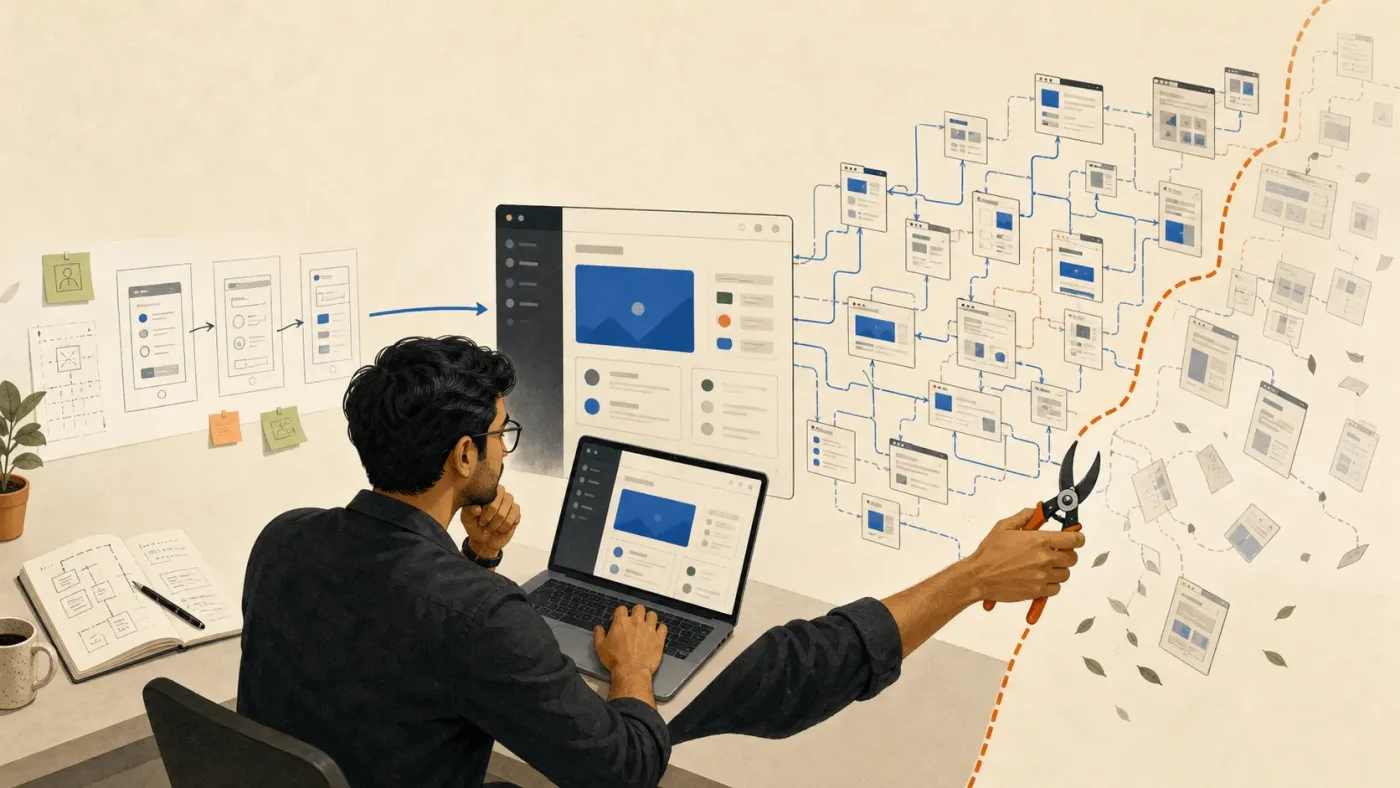
How it started
When I first started using AI coding tools for various personal hobby projects, I was quite vague about things. I would say something like, “Give me a website for this,” or “Create something that does this, this, and this,” and then just let it go ahead and work. A lot of times, what came out actually looked good.
You would see the whole thing and think, okay, this actually looks like a proper product. There would be different pages, features, users and all sorts of things already created for you. But when you actually start using it or going through each thing properly, a lot of it doesn’t make sense or is weirdly too much.
There would be extra features that I had never asked for, different use cases that I had never thought of; some sensible, some just making me ask myself why? Sometimes different views or users that didn’t really need to exist. Even though visually the whole thing might look quite complete, the UX wasn’t necessarily good.
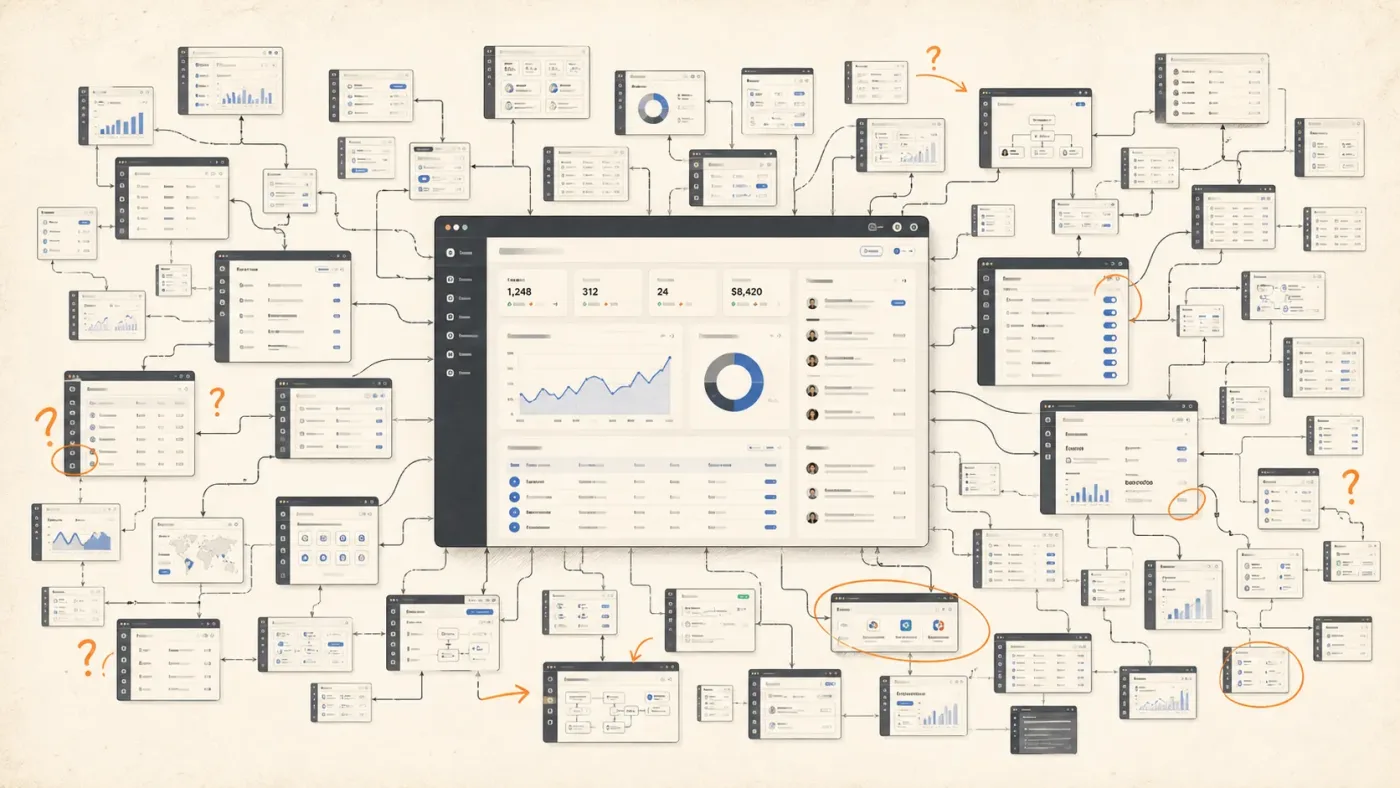
AI has this tendency to think beyond the scope of what you are actually looking for, especially if you haven’t properly defined that scope yourself. It might actually give you a whole product in one shot, but now you don’t exactly know whether the product that has been created is actually good or not. You also don’t necessarily know how everything has been structured underneath.
I started noticing this more as building itself became easier. Earlier, even if I had ideas for five different things, there was still quite a bit of effort required before all five could actually exist. With AI, sometimes all five are already sitting in front of you before you’ve properly thought about whether you needed them.
Figma’s 2026 AI report, where they found out that even as AI adoption increased, people weren’t necessarily seeing design as becoming less important. In fact, 90% of respondents said design was at least as important as before AI. I found that quite relatable to what I had experienced.
Making something had become much easier, but that hadn’t necessarily made deciding what to make any easier.
I think the best way I can explain it is that it’s almost like you have been driving for some time and then suddenly you give the whole steering wheel to AI. The car is still moving, and it might even be moving much faster, but after some time you don’t exactly know which route it has taken you through or why you have reached where you have reached.
So when I came into this applying it on a real project, I wanted to make sure I didn’t do that again.
When I decided to retry this
We had to create an admin panel for the SOS Emergency Response System at EyEagle, the startup that currently working with.
But the plan for the admin panel was not just to have the SOS part of things. We knew eventually there would be more modules to be added, like Inventory, Devices, Groups of Users, Sales, SOS and other modules that would come along as the product grew.
Because the SOS part itself is quite critical and UX-heavy, we also knew that we couldn’t just design the whole thing based on assumptions. There was a lot that we still needed to understand, and we wanted to heavily rely on user testing to get the best feature outcomes. We needed to move fast, but we also knew that we didn’t completely understand the product yet. Getting something usable in front of people was going to be part of how we understood it.
At the same time, the speed at which the product needed to be released was quite fast.
The usual Figma → handoff → knowledge transfer → frontend → backend → testing → review → make changes → repeat cycle would significantly increase the time it would take. Considering the plan for the admin panel was to go beyond just the SOS system, I understood that this would become quite time-consuming work.
If we wanted a proper MVP, I needed to get involved directly in code, work on the product and see how far I could actually take it myself.
So this wasn’t really about wanting to be part of the vibe-coding trend. I had already tried some of that before. This time, I wanted to understand whether there was actually a proper way for me, as a designer, to work this way on a product that needed to be used and maintained.
And here is how I approached it.
Firstly, plan, plan, plan.
I think because of how quickly AI can build things, there is this temptation to immediately start building. My previous experiments had taught me to do almost the opposite.
A lot of the product and system thinking also sat with me, so before building anything I needed to get the requirements and scope clear in my own head. Understand and visualise what the system needs and, more importantly, only what you need for now for V1.
For me, V1 didn’t mean trying to create a smaller version of every possible thing the admin panel could eventually do. I first tried to understand what we actually needed to operate the product now, and then broke that scope into modules that could be understood and tested separately.
I started with creating user stories, flow architecture, feature metrics, or whatever helps you get a clear idea of the product and what it should look like in your head before you start building it.
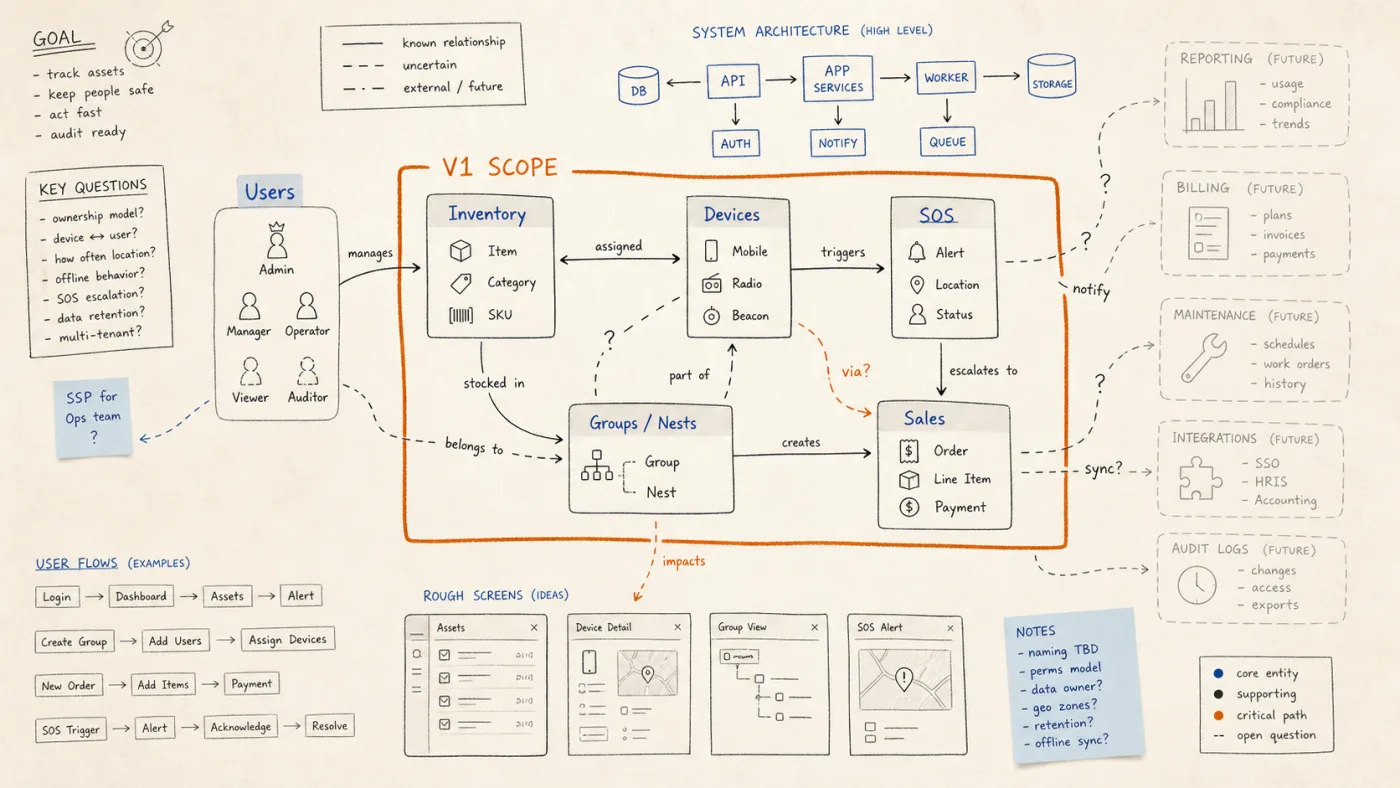
I still create charts, flows and docs in Figma. I’ve found the OOUX method to be the best when it comes to working on dashboards.
I wasn’t trying to remove Figma from my process. What changed for me was where I stopped using it.
Figma is still your friend.
Earlier, I would normally continue working in Figma until I had the screens and prototype in a state where they could move towards development. Here, I was using Figma more for mapping flows, relationships and systems, and then moving into the working product much earlier. Figma itself has started calling something similar a “design-to-code loop”, where work moves between code and canvas instead of only going in one direction.
I wouldn’t say I was deliberately following that idea while working on this. But when I read about it later, it felt quite close to how the process had naturally started working for us.
Five modules can also mean five sets of decisions you didn’t make
One of the bigger changes I made compared to my earlier experiments was being much more deliberate about how much I asked AI to build at once. If you let AI create five modules together, there might be five modules sitting in front of you, and everything looks quite impressive. But now you have to understand whether five different sets of decisions actually make sense.
So we deliberately didn’t start with SOS.
SOS was probably one of the more important parts of the admin panel, but it was also the most complex and UX-heavy kind of thing. It needed much more study, research and understanding before we actually went on to create it.
For sanity and proper clarity, we started with Inventory, which was comparatively straightforward. Then we moved into Devices and Nests, where the data and relationships became slightly more involved.
Only after that did we move towards SOS.
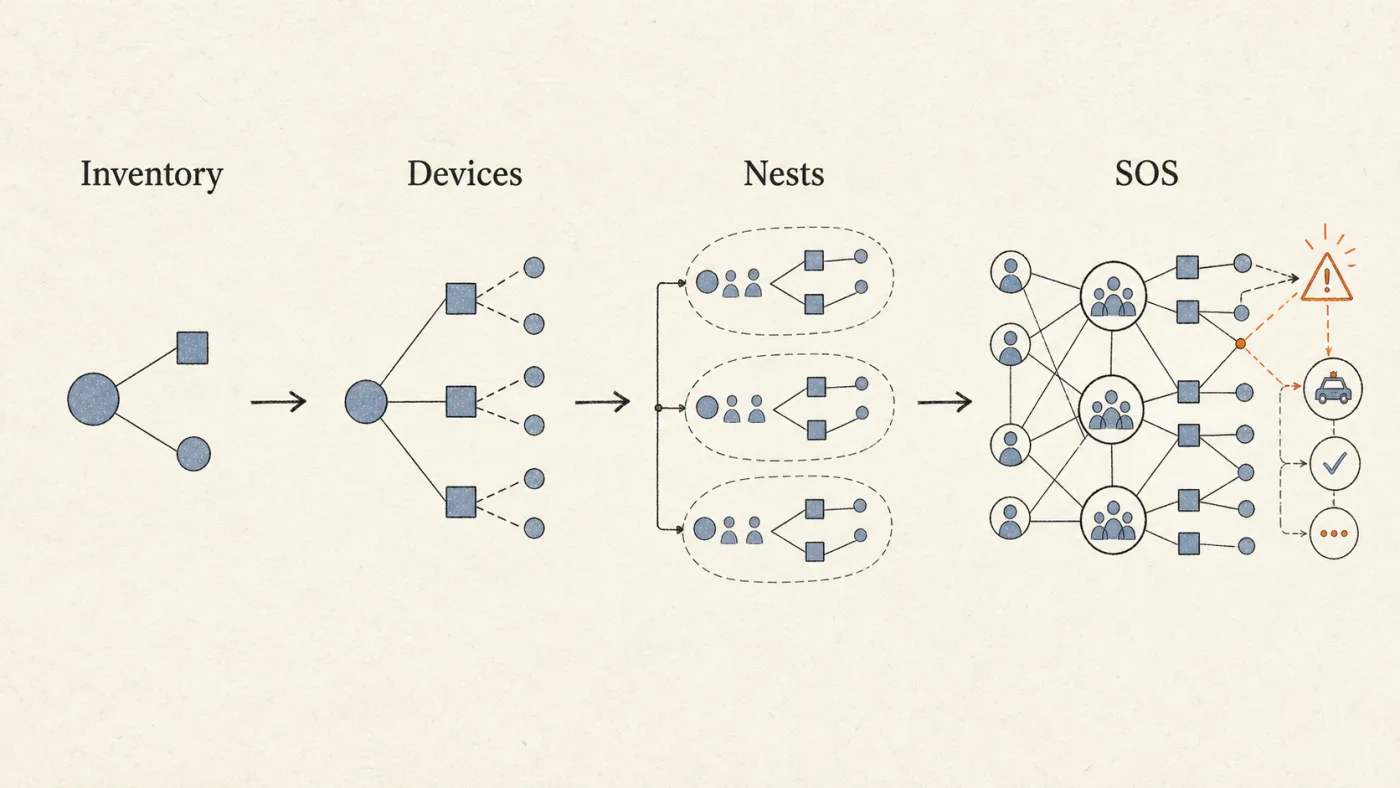
I think this was quite important because instead of asking AI to understand the whole product at once, I was also understanding the product along with it, module by module. I knew what was being created, why it was being created and what was supposed to happen next.
And when we finally moved towards the more complex parts, there was already some base understanding of the product rather than starting from zero and asking AI to figure everything out.
If I am working on Inventory, I want to understand Inventory.
If I’m working on Devices, I want to understand Devices.
And when I move to SOS, I want to already have a vision of how SOS works rather than asking AI to create that vision for me.
Before I let Codex build, I try to make sure it understands
For this project, I primarily used Codex.
I’m still learning about the backend, and throughout this project I deliberately tried not to work specifically on the backend when it came to the coding part. I also didn’t want Codex making technical decisions in isolation. Our engineering team already had its own stack, libraries and backend approach, so I gave Codex those constraints rather than letting it decide everything for itself.
I first worked on a README or knowledge-base MD file, which essentially guided the AI to work in certain ways: what tech we use, what should be used in the frontend and what will eventually be used in the backend.
I get an idea from my backend and frontend teams and tell the AI which technologies will be used. I also sometimes add a disclaimer that the AI should not work on the backend part of things and that the backend will be handled manually.
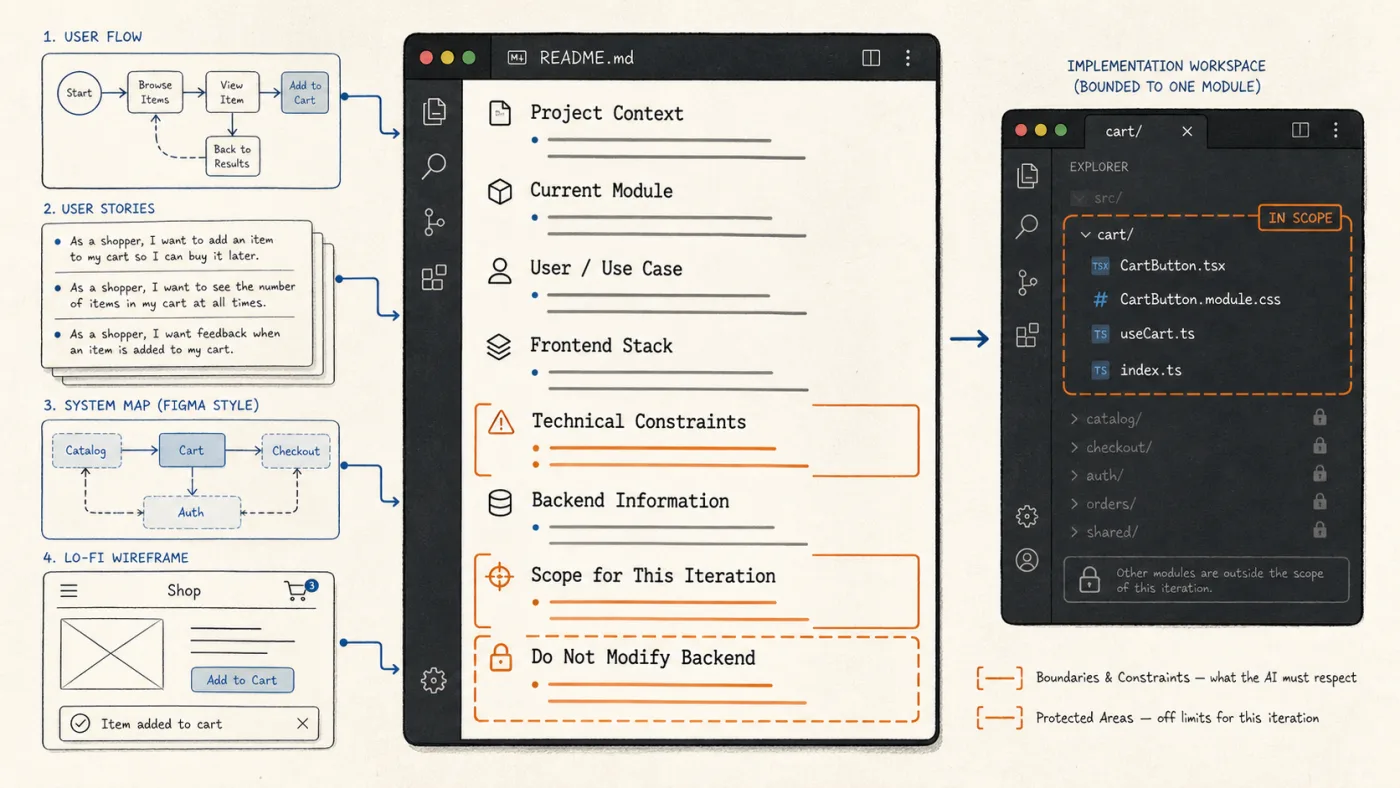
I feed Codex the information I have regarding the user flows, user stories and all that. I directly connect it with Figma, or otherwise I just share an image or a PDF that I have researched or created beforehand.
But instead of making Codex start working immediately, I make it answer questions first.
What does it think this module does?
Who does it think the user is?
How does it think this flow should work?
What assumptions is it making?
I go back and forth on this until I get a clear idea that the AI knows what needs to be done and, equally importantly, that it doesn’t go beyond what needs to be done.
This also ended up being useful for me in a way I hadn’t really planned for. Sometimes Codex would keep misunderstanding something, and while trying to correct it I would realise that maybe I hadn’t thought through that part properly either.
Then, if things are looking good, I use Plan Mode to create a plan.
I quite like Plan Mode because it forces me to stop for a bit before implementation. I don’t necessarily go with whatever it recommends. I look at the options, change things, add whatever I think is missing, and only then move ahead.
Even there, I specifically asked it to stay module by module.
I introduced my own little team of agents
Before I implement, I create different kinds of agents. The agents usually are an architect, a developer, a tester/auditor and documentation. From time to time, I brought in a designer agent as well, so they can do a UX review with me and suggest things as we go along.
Now, I don’t necessarily think everybody needs to go and create these exact agents. For me, it just became much easier to discuss different things with different agents.
If I wanted to talk about the overall direction of the product, I could have that discussion with the architect. If I wanted to maintain the documentation of what had changed, that conversation happened with the documentation agent. If I wanted to discuss some UX issue or something that wasn’t feeling right, I could have that conversation with the designer.
Rather than me talking to one whole system about completely different roles and different kinds of work, these one-on-one discussions made more sense to me. Maybe it also felt closer to how I normally work with an actual team.
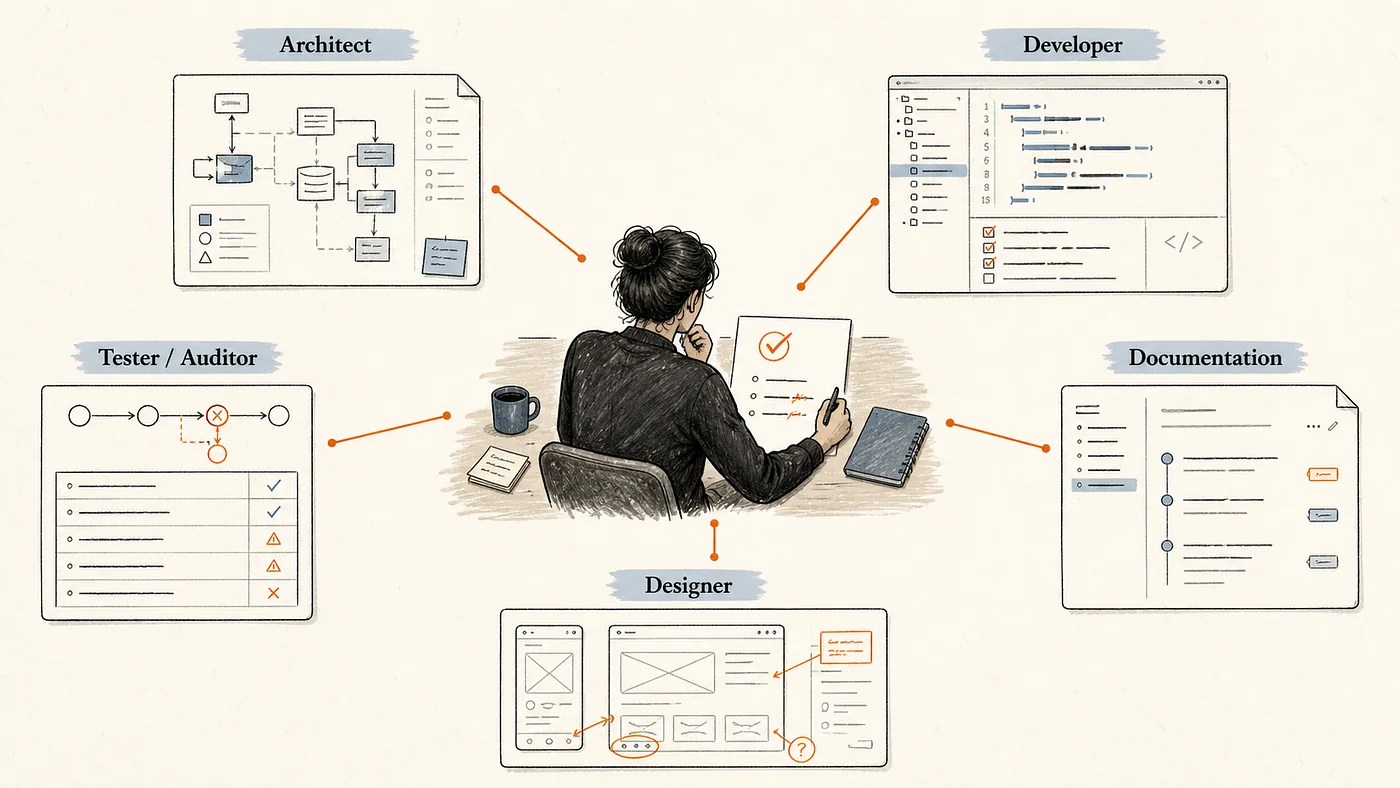
I wouldn’t say this is necessary or that this is somehow the correct way of working with AI. It has just helped me separate the conversations in my head and understand what I was asking for.
The testing part changed quite a lot
I think one of the biggest changes from moving from a Figma prototype towards actually developing the product was the kind of artefacts I could put in front of users.
With Figma, of course, you can create a prototype, make a flow and test it. But here, I could focus on one single flow, build it and sometimes just self-host these simple prototypes on Netlify and share them with my team or the users who needed to test them.
It felt much closer to what the actual product would be. They weren’t necessarily going through a straight Figma prototype flow that I had already decided for them. They could interact with things and behave a little more naturally around the product.
One thing that became quite interesting was the speed at which I could make changes. Sometimes, while we were actually having the conversation/testing and someone was explaining that something should work differently, I could make an iteration and show it again. They would immediately see what they were asking for and whether we were actually on the right track.
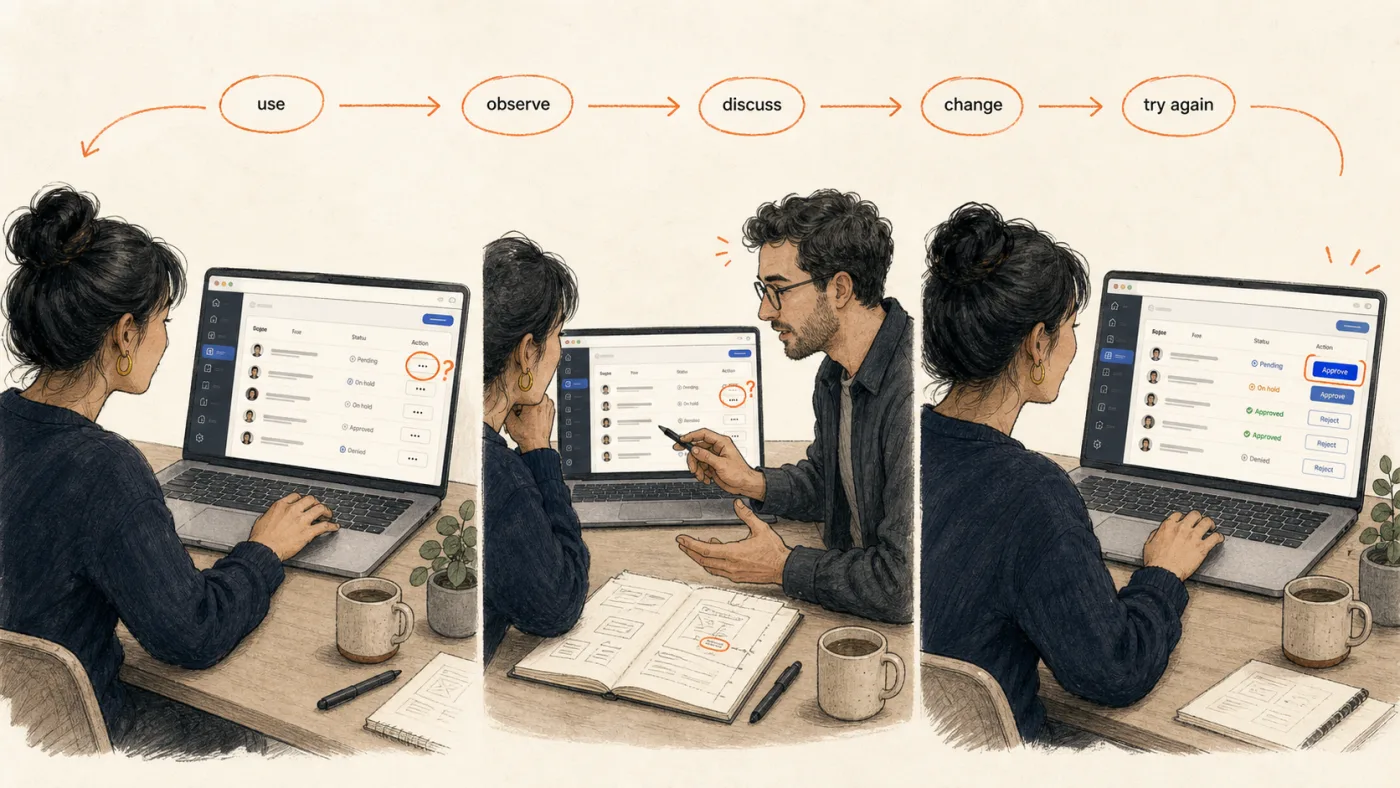
For something as big as an admin panel, I think the testing part was one of the biggest problems. How do you actually test for different kinds of users? How do you make the decision that whatever you are designing is correct or not?
I didn’t necessarily have to wait for the whole design to be completed, then frontend, then backend, then testing, and then come back again. We could start finding some of those problems much earlier.
This, more than simply being able to design or code faster, was probably one of the parts of the process I enjoyed the most.
Changing things became almost too easy
There was one problem with this speed, though you see something you don’t like, you ask it to change it. You see another thing, you change that. Then there is another suggestion, and you change that as well.
After some time, if you are not careful, you are making a lot of individual decisions without properly thinking about what they are doing to the whole product. I had to consciously stop sometimes and look at everything again.
Does this change actually make sense for the product, or did I make it because somebody suggested it and it took me thirty seconds to implement?
That is where having the architect view became useful for me. I didn’t want every UX suggestion or improvement to directly become a product change just because it was very easy to do.
Engineering didn’t disappear from the process. It entered differently.
At some point when I first started experimenting with all this, I genuinely thought that maybe if AI could create the product, I could almost remove the developer dependency from the equation.
That didn’t really happen.
After the product is tested internally with users and it’s kind of ready to move towards production, I sit down with my backend and frontend teams. The frontend lead reviews the output and is responsible for the integration with the APIs and the backend team. Because at the end of the day, just because something works doesn’t mean that the code is something that should directly go into the actual product.
From my side, I can test a feature and understand that it works in the way I wanted. But my understanding of code is still quite limited. The frontend team is also looking at how it has been written, whether it follows how the rest of the application is built, how it should be integrated and how easy it will be for someone else to work on it later.
I thought this might just be because I’m a designer and obviously don’t understand the code at the same level as a developer. But while reading around this, I came across research comparing AI-agent-generated and human pull requests. One of the things they found was that AI-generated contributions had more redundant code and missed more opportunities for reuse. Which made sense to me because those aren’t necessarily things I would notice by looking at a working screen. I think this is very easy to miss when you are vibe coding something yourself.
You can reach a point where you feel the product is done because everything you can see is working, but somebody still has to own that code afterwards.
At the same time, engineering didn’t exactly have to sit and wait for the entire design or whole product understanding to be completed either. While I was building and testing different parts, the frontend and backend could also work in parallel on the things they needed to understand or integrate.
The Sales module is one example. There were integrations with things like Shopify, and that wasn’t something where I was going to sit and try to build the whole backend or integration myself. The development team and I worked through how that integration should work, what was needed from the product side and how it should come together. So it wasn’t exactly me building everything and then handing the finished product to them. It became more like both sides were moving at the same time and meeting where we needed to.
The handoff didn’t disappear. It just stopped being one big handoff.
I was reading Figma’s AI report while working on this article, and another part that stood out to me was that they were seeing designers getting more involved in development and developers getting more involved in design. Developers participating in design had gone up from 44% to 60%, while designers participating in development had gone up from 21% to 41%. They’ve also described this as a more continuous loop between code and canvas. When I read that, I realised it was actually quite close to what had happened with us.
Once there was a main GitHub repo that was live, we also needed a way for me to keep working on new modules without AI unnecessarily touching the whole product. The engineering team and I decided that I would work from a /design branch. I would work on the module or improvement there, test it, and if the user testing is successful, push a PR.
The frontend team is responsible for reviewing and merging it so they can see whether Codex has made unnecessary changes and whether everything still works with the rest of the product.
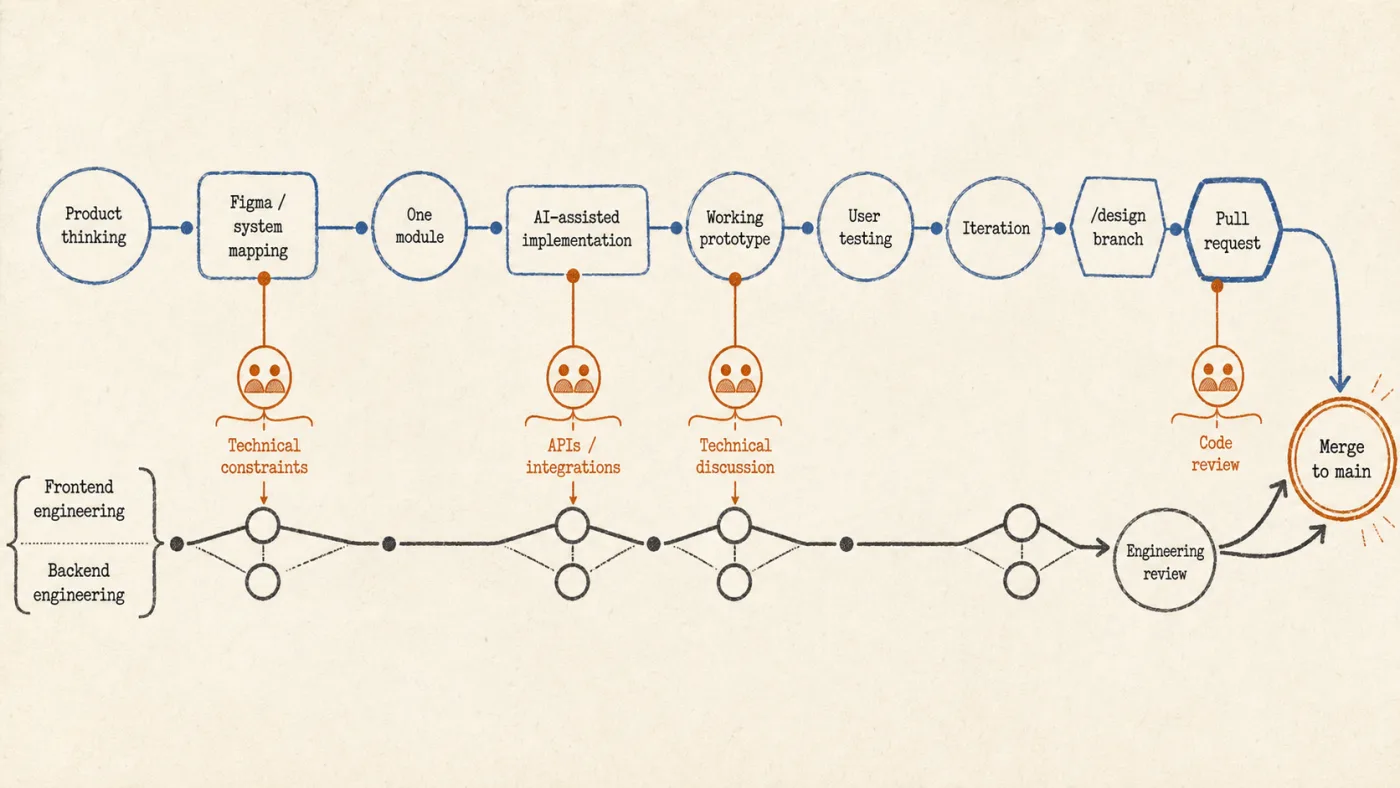
That gave us a much cleaner way for me to keep contributing without pretending that AI-generated code should just move directly into production. We were able to deliver the admin panel, at least on the dev side of things, so that it was ready for testing in less than two months.
For V1, I think this worked quite well for us. I don’t know if I would say this is how we should now build the entire product forever. As the product becomes bigger, the backend becomes more complex and more people need to maintain the code; there will obviously be places where much more engineering involvement is needed.
And I would still not fully vibe coding an app without properly understanding a lot of these things, especially when it comes to the backend or very large products.
So after doing this, what do I now think the designer’s role is?
I think one of the things I was probably wrong about when I started experimenting with this was that maybe I could totally remove the developer from the equation. If AI could actually create the product, maybe I could focus much more on the execution myself and the dependency between design and development would disappear.
I don’t think that anymore.
I still need developers.
There are a lot of things, especially when it comes to backend, architecture, integrations and even the quality of the code itself, where I would rather have someone who actually understands those things properly make the decision. But I think what I have somehow created for myself is a new kind of collaboration method. I can take the product much further than I could before.
Before, I would understand the problem, create the flows, work in Figma, create the prototype, and then there would eventually be this point where the product had to move to development before I could really see how everything behaved together.
Now that line has moved quite a lot.
I can work on one module, build it, use it, give it to users, understand where I was wrong, sometimes change it while I am actually discussing it with them, and then work with engineering to take that version towards the actual product.
Also, Figma has also found a slightly different place for me in this whole process. I haven’t stopped using it. I am just not necessarily using it as the final thing that I need to finish before development can start. I think if creating the actual screen or working product becomes much easier, then understanding what we are creating becomes much more important.
The problem it seems I had when I first started working this way wasn’t that AI couldn’t build enough. It was actually building too much and if I don’t understand the product properly myself, I can very easily end up with something that looks complete but doesn’t actually make sense.
So I don’t really see this as me moving from being a designer to becoming a developer. I can just go further into the product now than I could before. There is still a point where someone else’s expertise is much better than mine, but I reach that point later.
Maybe the boundary of where a designer’s work stops has moved. I’m still figuring out exactly where that boundary should be, but after working this way, I don’t think it is going back to where it was before.
AI usage disclosure
This is an original piece of writing from my personal experience of learning and creating with AI, and so it makes sense that I might have used AI for some aspect of it. Although most of the things I’ve written are original and my own writing, I’ve used AI for the editing process, helping me with the structure, spotting repetitions and working on the flow.
The images used are also generated using ChatGPT
References and further reading
Figma — “Figma’s 2026 AI report: Can AI help us collaborate better?”
https://www.figma.com/blog/2026-ai-report/
Figma — “What the design-to-code loop unlocks”
https://www.figma.com/blog/what-the-design-to-code-loop-unlocks/
Huang et al. — “More Code, Less Reuse: Investigating Code Quality and Reviewer Sentiment towards AI-generated Pull Requests”
https://arxiv.org/abs/2601.21276
OOUX — “What is OOUX?”
https://ooux.com/what-is-ooux