
Closing the Gap Between Designers and Developers
The Figma File Structure That Helped My Team Cut Back-and-Forth in Half
When Clients and Deadlines Collide
As designers in service-based companies, we juggle shifting timelines and changing client requirements. The closer the deadline, the more changes pile up.
Client changes always seem inversely proportional to how fast they want delivery.
That's the reality: last-minute requests, "small" changes that aren't small, and revisions that land just as you think you're done.
When Developers Make It Harder (But Not Their Fault)
Then comes the developer side. For simple websites or straightforward apps, alignment isn't too hard. However, with complex products, multiple flows, and varied user cases, alignment can become messy.
The real challenge isn't the first version, it's what happens after. You get client approval, developers start building, and suddenly the client brings a new idea. Now you're not explaining a tweak — you're explaining full-screen or flow changes.
That explanation takes hours. Designers should push the work forward, but instead we spend time clarifying, syncing, and re-explaining details to developers while deadlines press closer.
The Turning Point in My Approach
When I started, things were simple. I was usually the only designer, often paired with a senior, and focused on a single product. Everyone shared the same vision.
As I grew and led teams, that clarity faded. Doing the "best design" wasn't enough. Now the designs had to be transferable — usable by others without me explaining each step.
Instead of adding more meetings or documents, I restructured our Figma files.
The System That Finally Worked
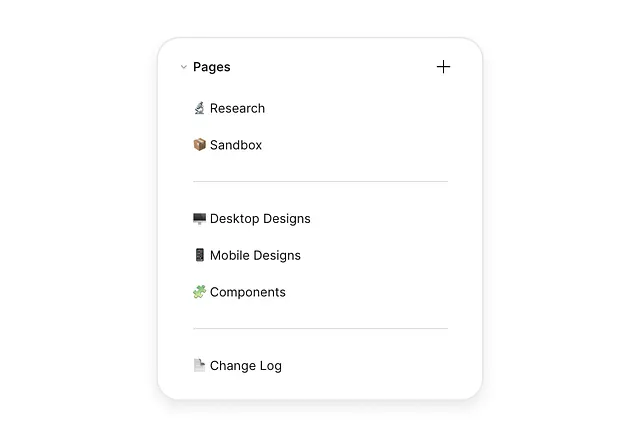
After many trials, one approach clicked: keep the Figma file lean and consistent.
Every project file has only a few pages:
- Research
- Sandbox
- Components
- Final Files (Desktop + Mobile)
- Change Log
Nothing more. Nothing less. Over time, this structure made it easier for both designers and developers to find what they need and know what to trust.
How Each Page Works
1. Research
This page holds notes from research, client discussions, early flows, IA sketches, and rough ideas. Every project is different, but there's always a direction; the what, why, and how might we of projects that give us a sense of direction. Everything useful goes here.
It's not polished, but it's the north star. Anyone can scan it to see the thinking behind the design.
2. Sandbox
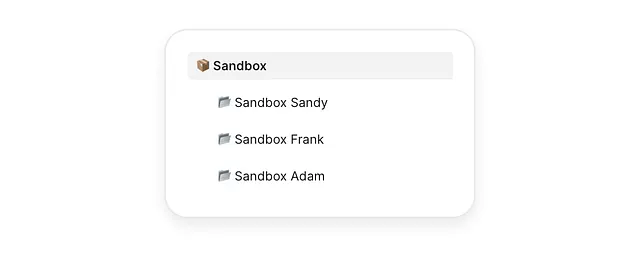
Each designer gets a sandbox. As I work with more and more designers, I've realised everyone has their own way of working and needs that creative freedom to be just free from any constraints, so here we keep experiments, early drafts, alternate flows, and half-built components. Nothing here is final.

When something's solid, either the lead (me) or the team reviews it. If approved, it moves to Components (if reusable) or Final Files (if a screen or flow).
3. Components
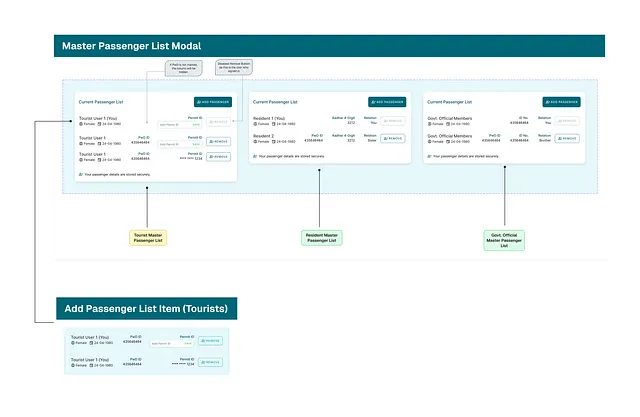
Reusable parts move here, with versioning and annotations.
Annotations, notes, and arrows are very important to explain tricky states or interactions, helping you to avoid confusion and clashes with the devs.
When a new component lands in the Component Page, the details need to be very clear.
4. Final Files (Desktop + Mobile)
This is the sacred space.
We split into Desktop and Mobile. Anything here is approved and build-ready. Developers know they can trust it. Designers know if it's not ready, it stays in Sandbox.
That clear line keeps the system clean.
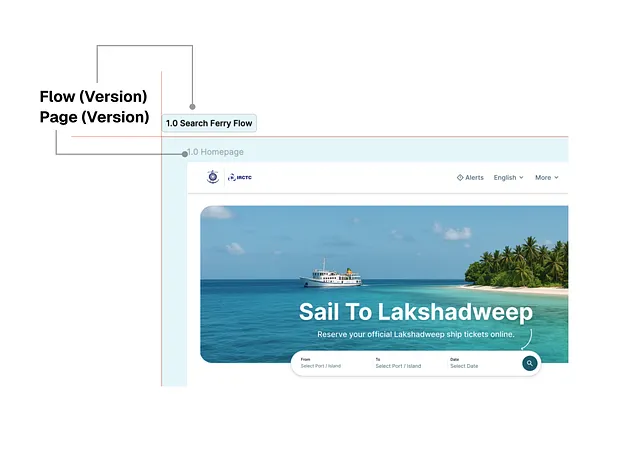
Additionally, what we've started doing is writing versions of Flows and Screens. If small change (0.0 becomes 0.1) and if big change (0.0 becomes 1.0). Helping anyone indicate if and how many times it has changed.
5. Change Log
Every approved update gets logged here. Each entry notes what changed, why, links directly to the frame or component, and shows who made the change.
Developers don't see vague "Homepage updated" notes anymore. They see the exact change, with a link. If something's unclear, they comment right in Figma.
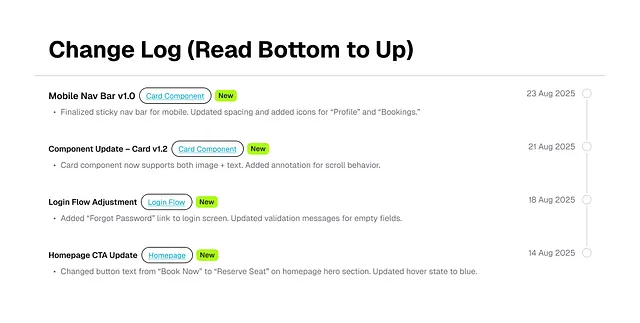
This alone cut our dev discussions in half. Weekly sessions still happen, but now they're about big-picture direction.
For larger teams, the log can expand into categories — content, design, or engineering — so each group follows what matters to them.
Why This File Structure Works
The beauty is its predictability:
- Research sets direction.
- Sandbox gives freedom.
- Components ensure consistency.
- Final Files guarantee clarity.
- Change Log tracks history.
Annotations live inside Components and Final Files, so no extra docs float around.
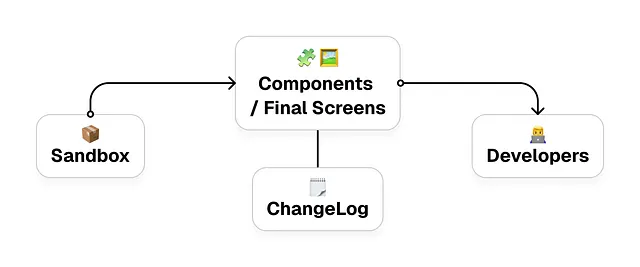
But it only works when everyone respects the boundaries. No experiments in Final, no skipping the log, no dumping in Research. Respecting the lines reduces chaos and builds trust.
Designing for Developers Too
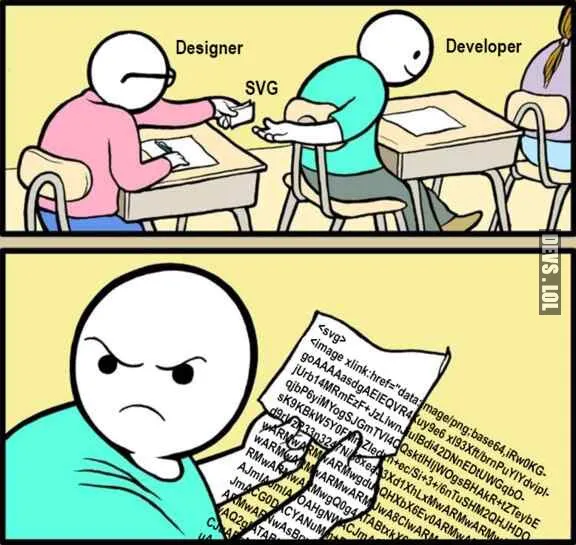
I've learned we don't only design for users; we design for developers too. If they can't interpret a design, the user experience breaks.
Many designers get frustrated when devs don't build things exactly as designed. I've felt that frustration too. But curiosity helps more than judgment. Ask what's blocking them, understand their perspective, and adapt the system.
Because good design isn't only what users see — it's also what developers can build. For me, this file structure has been the most effective way to make that possible.
It's not a go-to process for everyone, and it does take some extra effort. But it has worked well for me, and maybe other designers will find different solutions that work better for them. What matters is treating this as a crucial part of our work and experimenting with your way into the system that fits best.